
Ask residents with a poll
Add a poll to a post, choose how residents answer and see the results as they come in.
Before you start
- Who can do this: staff who can create content, when polls are turned on for your city.
- Polls travel in posts. You create a poll inside a post, and residents vote in the feed.
- A post can have a poll or photos and videos, not both.
Don't see this? It may not be turned on for your city yet — email support@penyapp.com.
Create a poll in a post
- In the sidebar, click Feed, then click the + button (New post).
- Type a title for your post and, if you like, some text.
- In the toolbar at the bottom of the composer, click Add poll (the chart icon).
- The Add poll window lists your city's existing polls. Click Create poll to make a new one. (To reuse a poll, select it and click Add poll.)
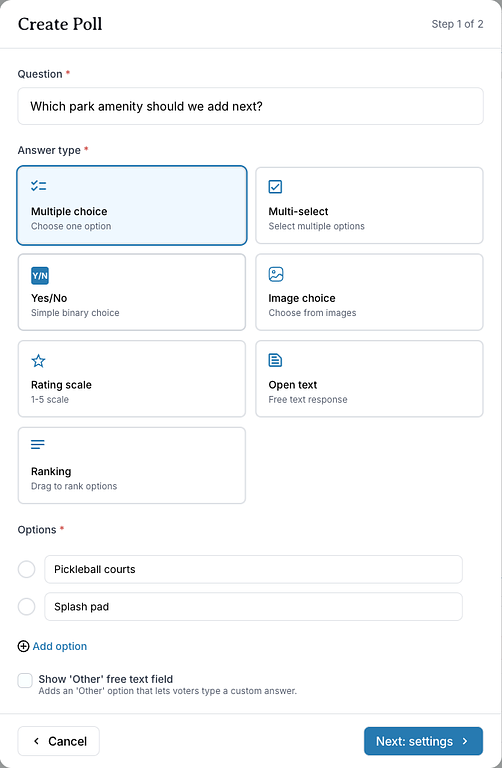
- In Create Poll, type your Question.
- Under Answer type, choose how residents answer (see the list below).
- Fill in the Options. You need at least two. Click Add option for more.
- Click Next: settings.
- Under Poll duration, choose 24 hours, 3 days, 7 days or Custom. With Custom, enter Days and Hours (at least 1 hour).
- Check the Preview, then click Add poll.
- Choose the post's priority and topic, then click Post.
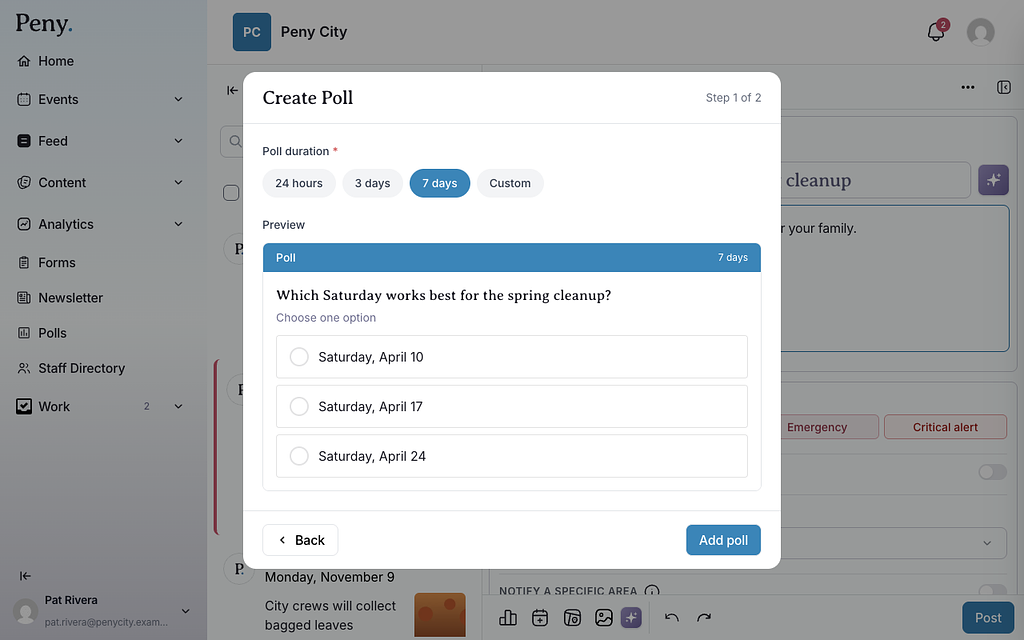
The poll closes automatically when its duration runs out.
Answer types
- Multiple choice — choose one option.
- Multi-select — select multiple options.
- Yes/No — a simple yes-or-no choice.
- Image choice — choose from images. Give each option a label and add its picture with Upload image.
- Rating scale — rate from 1 to 5.
- Open text — residents type their own answer.
- Ranking — residents drag the options into their order of priority.
For Multiple choice and Multi-select, you can tick Show 'Other' free text field. It adds an "Other" option where voters type their own answer.
See the results
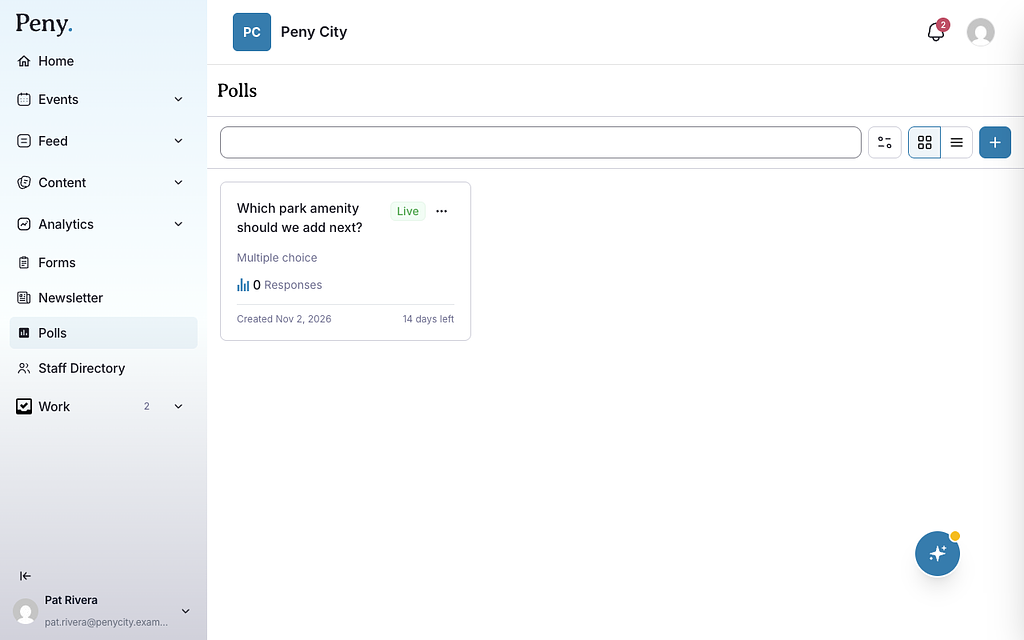
- In the sidebar, click Polls.
- Find your poll. Each card shows whether it's Live, Closed or a Draft, and how many responses it has. Use the search box and Filters (Status and Type) to narrow the list, and switch between Grid view and List view.
- Click the poll to open its results.
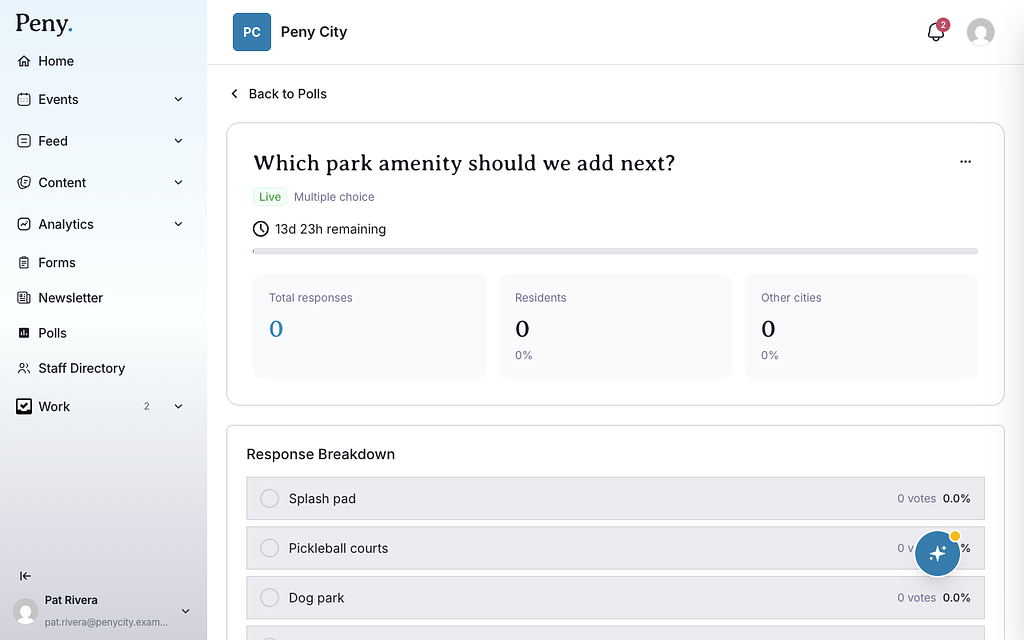
The results page shows:
- Total responses, and how many came from Residents and from Other cities.
- How long is left while the poll is live.
- Response Breakdown — the votes for each option. For open-text polls, the answers residents wrote.
- Responses Over Time — when responses came in.
Votes stay private
Peny never shows your city who voted for what. The results page and the CSV download show totals and answers only, never a voter's name, email or the time they voted. Peny's AI tools see only the totals. Each resident sees only their own vote, marked "(your vote)".
Each person can vote once. Residents can take back their vote with Undo vote while the poll is open. Only residents and staff of your city can vote. Anyone else sees a message that they must be a resident of your city to vote.
Close, reopen or download a poll
On a poll's results page, click the three dots in the top-right corner:
- Download CSV — a spreadsheet of the answers (no names, no times).
- Print PDF Report — print the results page or save it as a PDF.
- Duplicate Poll — a copy of the question and options in a new draft post.
- Close Poll — end voting now.
- Reopen Poll — for a closed poll. Peny opens a new draft post with the poll and asks you for a new duration. Existing votes are kept, and residents who already voted can't vote again. Publish the post to reopen voting.
Once a poll has votes, its question, answer type and options can't be changed: "This poll already has votes, so its question and options can't be changed."